AI Agents
Lead Discovery Agent: How MCP Finds and Validates Your Best Leads
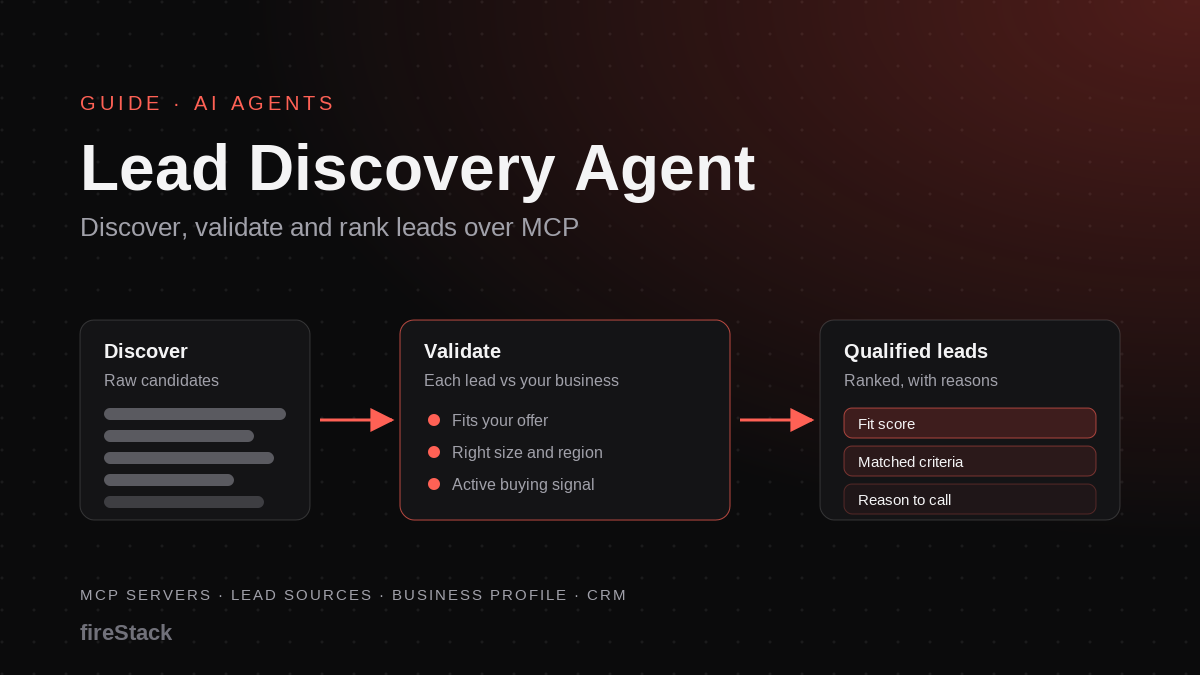
Most sales teams do not have a lead problem. They have a filtering problem. Scraped lists, directory exports and inbound forms pile up faster than anyone can read them, and the few leads that would actually buy get buried under the ones that never will.
We built an agent workflow that does the reading for you. It discovers leads that match your preferences, checks every one against what your business actually sells, and hands your team a short list worth calling. It runs on the Model Context Protocol, and it is live in production today.
This post explains how it works, why MCP is the right foundation for it, and where the time savings come from.
Why manual lead filtering breaks down
The usual process looks like this. Someone pulls a list from LinkedIn, a directory or a data provider. Then a person opens each company's website, guesses whether it fits, checks the size and location, looks for a contact, and pastes the result into a spreadsheet.
That work has three problems:
- It is slow. Qualifying a single lead properly takes several minutes of tab-switching. Multiply that by a few hundred rows a week.
- It is inconsistent. Two people reading the same website will score it differently, and the same person scores differently at 5 pm than at 10 am.
- It filters on the wrong things. Basic filters like industry and headcount are easy. The real question, "would this company need what we sell?", needs judgement, so it is usually skipped.
A lead list that only passes the easy filters looks full but converts poorly. The fix is to apply the hard filter to every lead, every time.
What the workflow does
The workflow runs in two stages, discovery and validation, with your business profile sitting in the middle as the reference both stages check against.
| Stage | Input | What the agent does | Output |
|---|---|---|---|
| 1. Preferences | Your business profile | Reads your offer, ideal customer, regions, deal size and exclusions | A structured search brief |
| 2. Discovery | The search brief | Queries lead sources and collects candidate companies and contacts | A raw candidate list |
| 3. Enrichment | Each candidate | Pulls the company's website, size, stack and recent activity | A fact sheet per lead |
| 4. Validation | Fact sheet + your profile | Scores fit, flags red flags, writes a short reason | A score and a verdict |
| 5. Hand-off | Validated leads | Ranks, de-duplicates and pushes to your CRM or sheet | A short list your team can act on |
The important design choice is stage 4. Every lead is compared against your business, not against a generic idea of a good lead. A 50-person logistics firm can be a perfect fit for one company and useless to another. If you have not written down who your best customer is yet, start with our guide to the ideal customer profile; it is the input this whole workflow depends on.
Why we built it on MCP
MCP is an open protocol that lets an AI agent talk to tools and data through a standard interface. Each capability lives in its own MCP server and exposes tools the agent can call. The agent decides which tool to use; the server does the actual work.
For a lead workflow, that separation matters:
- Sources are swappable. Each lead source sits behind its own server. Adding a new directory or data provider means adding a server, not rewriting the agent.
- The business profile is shared context. Your preferences are exposed once and read by both the discovery and validation steps, so they never drift apart.
- Access is scoped. The CRM server can be limited to creating leads, never deleting them. The agent only gets the tools each step needs.
- Every call is visible. Tool calls are structured, so you can log exactly which source a lead came from and why it was accepted or rejected.
If you are weighing this against wiring the same thing up with plain API calls, our MCP vs API post covers the trade-off in more detail. The short version: APIs are still underneath, but MCP gives the agent one consistent way to reach all of them.
The architecture looks like this:
                ┌──────────────────────┐
                │   Lead agent (LLM)   │
                └──────────┬───────────┘
                           │ MCP
     ┌──────────────┬──────┴───────┬──────────────┬──────────────┐
     ▼              ▼              ▼              ▼              ▼
 Business       Lead source    Web research    Scoring        CRM / Sheet
 profile        servers        server          server         server
 (preferences)  (discovery)    (enrichment)    (validation)   (hand-off)
How validation works
Discovery is the easy half. Validation is where the workflow earns its keep, so it is worth looking at closely.
For each lead, the agent builds a fact sheet from public information: what the company does, who it serves, its size, where it operates, and any signals that suggest a current need, such as hiring for a role your product supports or launching a product that would use your service.
The scoring step then compares that fact sheet to your profile and returns a structured verdict for every lead:
- Fit score: how closely the lead matches your profile.
- Verdict: qualified, maybe or rejected.
- Matched criteria: which parts of your profile the lead meets, such as region, size or a buying signal.
- Concerns: anything that could block the deal, such as an existing tool or a mismatch on budget.
- Reason: one or two sentences your team can read before reaching out.
Three things make this useful rather than just another score:
- Every score has a reason. Your team sees why a lead passed, which makes the first message easier to write.
- Concerns are kept, not hidden. A qualified lead with a known objection is still worth calling, and now the rep is ready for it.
- Exclusions are hard rules. Existing customers, competitors and regions you do not serve are rejected before scoring, so the model never has to "decide" on them.
Validation runs as its own MCP tool with a typed input, so the agent cannot skip a field or score a lead without a complete fact sheet.
Where the time goes back
The workflow does not replace your sales team. It replaces the part of their week spent deciding who to talk to.
Before, a rep's time went on finding companies, reading websites, checking fit and copying data into a sheet, with selling squeezed in around it. After, the agent does the finding, reading and checking, and the rep starts from a ranked list where every lead already has a reason attached.
Because the same rules run on every lead, the list is also consistent. When conversion is low, you can look at the verdicts and adjust the profile, instead of wondering which person filtered which batch.
What to get right before you build one
If you are planning a similar workflow, these are the decisions that matter most:
- Write the profile first. The agent is only as good as the preferences it checks against. Vague input produces vague scores.
- Keep hard rules out of the model. Exclusions, regions and minimum sizes should be code, not prompts.
- Ask for reasons, not just numbers. A score without an explanation is hard to trust and impossible to tune.
- Keep a human on the send button. Let the agent build the list; let your team decide who gets contacted.
- Respect data rules. Use sources you are allowed to use, and follow the privacy and anti-spam rules of the regions you sell into.
The takeaway
Most of the cost in lead generation sits in filtering, not finding. An MCP-based agent can discover leads from several sources, check every one against your own business profile, and hand your team a short list with a reason for each lead.
We run this workflow in production now. If you want the same thing set up around your own offer, sources and CRM, talk to us about building your lead discovery agent.