AI Agents
What is MCP? The Model Context Protocol, explained for builders
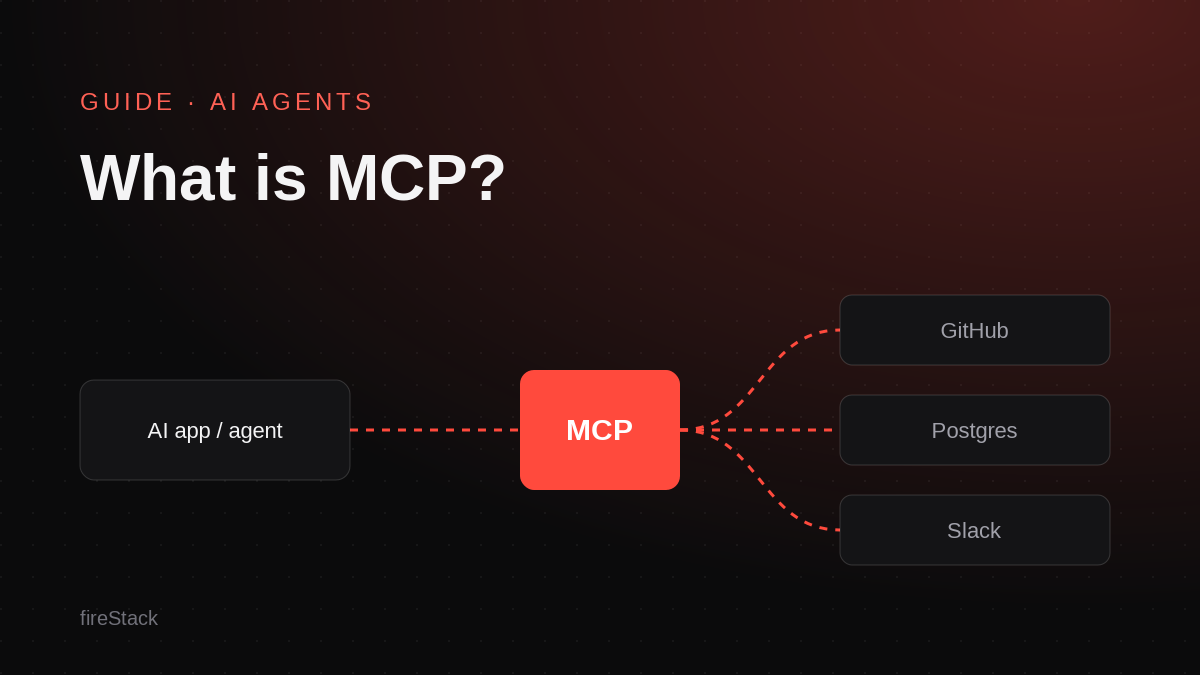
A language model on its own can only work with the text in its prompt. The moment you want it to read a ticket, query a database or post to Slack, you need to wire it up to something. For a long time every team did that wiring by hand, for every model and every tool.
The Model Context Protocol (MCP) is an open standard that replaces that one-off wiring with a single, shared protocol. Anthropic introduced it in late 2024, and it is now supported across most major AI clients and agent frameworks.
The problem MCP solves
Imagine you have 3 AI apps (a chat assistant, an IDE agent, an internal support bot) and 4 systems they should reach (GitHub, Postgres, Google Drive, Slack). Without a standard, you write up to 3 × 4 = 12 custom integrations, each with its own auth, error handling and data format.
MCP turns that into 3 + 4: each app speaks MCP once, and each system is exposed once as an MCP server. Any client can then use any server.
Think of MCP as USB-C for AI apps: one connector shape, many devices.
The three roles
MCP has a small vocabulary:
- Host: the AI application the user interacts with, such as a desktop assistant or an IDE.
- Client: the connector inside the host that keeps a 1:1 connection with a server.
- Server: a program that exposes capabilities from some system (files, a database, an API) in the MCP format.
Messages between client and server use JSON-RPC 2.0. Locally, a server usually runs as a subprocess over stdio; remotely, it is reached over Streamable HTTP.
What a server can expose
A server offers up to three kinds of things:
- Tools: actions the model can call, like
create_issueorrun_query. The model decides when to use them. - Resources: read-only context the app can load, like a file, a table schema or a document.
- Prompts: reusable templates the user can pick, like "summarise this pull request".
The client first asks the server what it offers (tools/list), then calls a tool by name with JSON arguments (tools/call). Each tool ships with a JSON Schema for its input, so the model knows exactly what to send.
A minimal MCP server
Here is a small server in TypeScript using the official SDK. It exposes one tool that looks up an order status:
import { McpServer } from '@modelcontextprotocol/sdk/server/mcp.js';
import { StdioServerTransport } from '@modelcontextprotocol/sdk/server/stdio.js';
import { z } from 'zod';

const server = new McpServer({ name: 'orders', version: '1.0.0' });

server.registerTool(
  'get_order_status',
  {
    title: 'Get order status',
    description: 'Look up the current status of an order by its ID.',
    inputSchema: { orderId: z.string().describe('The order ID, e.g. ORD-1042') },
  },
  async ({ orderId }) => {
    const status = await lookupOrder(orderId); // your own data access
    return { content: [{ type: 'text', text: `Order ${orderId}: ${status}` }] };
  },
);

await server.connect(new StdioServerTransport());
Point any MCP-capable client at this server and the model can now answer "where is order ORD-1042?" on its own, without you writing a single line of client-specific glue.
When MCP is the right choice
MCP shines when:
- Several AI apps need the same capability. Build the server once, reuse it everywhere.
- You want the model to choose actions. Tools with clear descriptions and schemas are exactly what agents need.
- You are exposing internal systems to AI safely. A server is a natural place for auth, rate limits, logging and permission checks.
It is probably overkill when a single script calls a single API on a fixed schedule. A plain HTTP call is simpler there.
Security is your job
An MCP server is a doorway into your systems, so treat it like any other production service:
- Give each server the least privilege it needs. A read-only reporting server should not hold write credentials.
- Require user confirmation for destructive tools such as delete, send or pay.
- Treat content returned from tools as untrusted input. A web page or ticket can contain text that tries to steer the model.
- Log every tool call so you can audit what an agent actually did.
The takeaway
MCP does not make models smarter. It makes them connected, in a standard way. If you are building AI agents that need to touch real systems, an MCP server is quickly becoming the default way to expose those systems.
Next up: MCP vs API: what is the difference, and which should you build?