Architecture
Vertical vs Horizontal Scaling: Which One Should Your App Use?
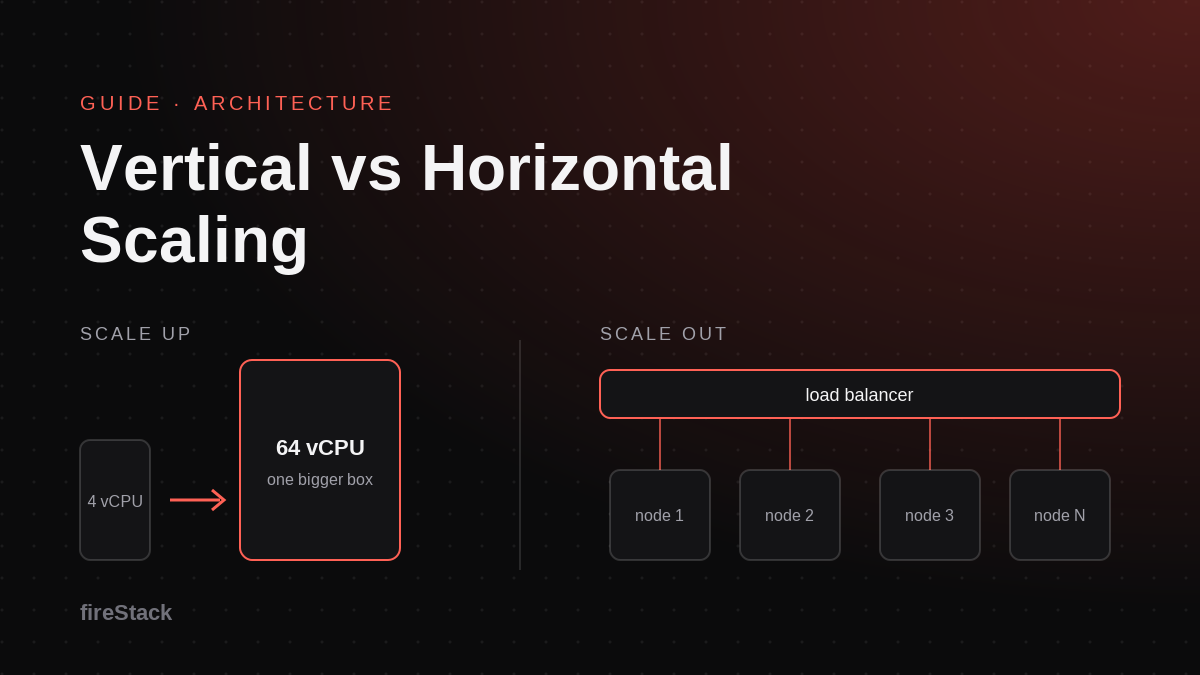
Your app is slowing down. CPU sits at 90%, p95 latency has doubled, and someone in the team chat says "we need to scale". The next question decides a lot of your architecture for the next two years: do you buy a bigger server, or add more servers?
That is the whole vertical vs horizontal scaling debate. Here is how each works, where each breaks, and the order most products should scale in.
Vertical scaling: one bigger machine
Vertical scaling (scaling up) means giving your existing server more resources: more CPU cores, more RAM, faster disks. On a cloud provider it is usually a resize: stop the instance, pick a larger size, start it again.
Nothing about your code changes. The same process runs on the same box, it just has more room.
Why it is attractive
- Zero architecture changes. No load balancer, no shared session store, no distributed anything.
- Strong consistency for free. One database on one machine means no replication lag and no split-brain.
- Fast to do. A resize takes minutes, not a sprint.
- Simple to debug. One set of logs, one process, one place to look.
Where it breaks
- There is a ceiling. The biggest instance your provider sells is the end of the road, and the price per core climbs sharply near the top.
- Single point of failure. If that one machine dies, or you need to reboot it to resize, your app is down.
- Downtime to scale. Most resizes need a restart. That is fine at 3am for a B2B tool, less fine for a checkout flow.
- You pay for peak all the time. A box sized for your Black Friday traffic sits mostly idle the rest of the year.
Horizontal scaling: more machines
Horizontal scaling (scaling out) means running several copies of your app and spreading traffic across them with a load balancer. Need more capacity? Add another node. Traffic drops? Remove some.
            ┌──────────────┐
  users ──▶ │ load balancer │
            └──────┬───────┘
         ┌─────────┼─────────┐
         ▼         ▼         ▼
      [app 1]   [app 2]   [app N]
         └─────────┼─────────┘
                   ▼
          shared DB / cache
Why it is attractive
- No hard ceiling for the stateless parts of your app. You can keep adding nodes.
- Resilience. One node crashes, the load balancer routes around it and users barely notice.
- Elasticity. Autoscaling adds nodes when CPU or queue depth rises and removes them when it falls, so you pay closer to actual usage.
- Zero-downtime deploys. Roll new versions out node by node.
Where it breaks
- Your app must be stateless. Anything kept in local memory or on local disk (sessions, uploads, in-process caches, cron jobs) now behaves differently depending on which node handles the request.
- More moving parts. Load balancers, health checks, service discovery, centralised logging, distributed tracing.
- The database does not scale out the same way. Adding app servers is easy. Adding database writers is hard. More on that below.
Side-by-side comparison
| Vertical (scale up) | Horizontal (scale out) | |
|---|---|---|
| How | Bigger CPU / RAM / disk on one machine | More machines behind a load balancer |
| Code changes | None | App must be stateless |
| Upper limit | Largest instance available | Practically none for app tier |
| Fault tolerance | Single point of failure | Survives node failures |
| Downtime to scale | Usually a restart | None |
| Cost curve | Cheap early, steep at the top | Overhead early, efficient at scale |
| Operational complexity | Low | Medium to high |
| Best fit | Databases, early-stage apps, stateful workloads | Web/API tiers, workers, spiky traffic |
The stateless test: are you ready to scale out?
Most apps are not ready for horizontal scaling on day one, and the reason is almost always state hiding in memory. A typical example:
// Works on one server. Breaks the moment you add a second one.
const sessions = new Map<string, { userId: string }>();

app.post("/login", (req, res) => {
  const id = crypto.randomUUID();
  sessions.set(id, { userId: req.body.userId });
  res.cookie("sid", id).sendStatus(200);
});
User logs in on node 1, their next request lands on node 2, and node 2 has never heard of them. The fix is to move state out of the process into something every node shares:
import { createClient } from "redis";

const redis = createClient({ url: process.env.REDIS_URL });
await redis.connect();

app.post("/login", async (req, res) => {
  const id = crypto.randomUUID();
  await redis.set(`session:${id}`, JSON.stringify({ userId: req.body.userId }), {
    EX: 60 * 60 * 24, // 24h expiry
  });
  res.cookie("sid", id).sendStatus(200);
});
Before you scale out, walk through this checklist:
- Sessions live in Redis, a database, or a signed token, not in memory.
- File uploads go to object storage (S3, Azure Blob), not the local disk.
- Scheduled jobs run once, not once per node (use a queue or a single scheduler).
- Caches are either shared or safe to be slightly different per node.
- Config comes from environment variables, not files edited on the server.
If you tick all five, adding a second node is mostly a load balancer and a deploy script.
The database is the real bottleneck
App servers are easy to scale out. Databases are where the hard decisions live, because data has to be consistent.
The usual path looks like this:
- Scale the database vertically first. A larger instance with more RAM keeps more of your working set in memory. This buys a lot of headroom for very little effort.
- Add read replicas. Most apps read far more than they write. Send reads to replicas, writes to the primary, and accept a little replication lag on the replica reads.
- Cache aggressively. A cache in front of hot queries often removes more load than a bigger database would. We cover this in Why Your App Needs Caching.
- Shard only when you must. Splitting data across multiple write databases (by tenant, region or ID range) is powerful but expensive in engineering time. Cross-shard queries, rebalancing and transactions all get harder.
Managed services such as MongoDB Atlas, Azure Cosmos DB or distributed SQL databases can take on some of this, but you still need to choose a good partition key. That choice is hard to change later.
So which one should your app use?
Usually both, in a specific order.
Choose vertical scaling when:
- You are pre-product-market-fit and traffic is modest and predictable.
- The bottleneck is the database or another stateful component.
- Your team is small and operational simplicity matters more than five-nines uptime.
- A few minutes of planned downtime is acceptable.
Choose horizontal scaling when:
- Downtime is expensive and you need to survive a node failing.
- Traffic is spiky (launches, campaigns, end-of-month batch runs).
- You are near the top instance size, or the next size up costs far more than two smaller ones.
- You run background workers that can process jobs in parallel.
The order that works for most products:
- Start on one well-sized server. Measure before guessing.
- Make the app stateless early, even while you run a single node. It costs little now and saves a painful migration later.
- When you need more, scale the app tier horizontally behind a load balancer, with at least two nodes for availability.
- Scale the database vertically, then add read replicas and caching.
- Consider sharding or a distributed database only when write volume genuinely demands it.
Notice that none of this requires microservices. A stateless monolith running on four nodes scales a long way. If you are weighing that decision too, read Monolith vs Microservices.
Common mistakes
- Scaling before measuring. A missing index or an N+1 query can look exactly like "we need more servers". Profile first.
- Running one node "for now" in production. Two small nodes are often similar in cost to one large one, and you get failover for free.
- Autoscaling on the wrong metric. CPU is a poor signal for I/O-bound apps. Queue depth or request latency is often better.
- Forgetting the database connection limit. Twenty app nodes each opening a pool of 20 connections is 400 connections. Use a pooler such as PgBouncer, or size pools deliberately.
The takeaway
Vertical scaling is the fastest, simplest fix and the right first move for most apps, especially for the database. Horizontal scaling is how you get resilience and room to grow, but it only works once your app is stateless.
Build stateless from the start, scale up while it is cheap, and scale out when uptime or traffic demands it.
Planning for growth, or already hitting limits? Talk to us about a scaling review for your stack.