Architecture
Why Your App Needs Caching: Faster Pages, Lower Bills, Fewer Outages
Most slow applications are not slow because the code is bad. They are slow because they do the same expensive work again and again: the same database query, the same API call, the same rendered page, for every user, on every request.
Caching is how you stop paying for work you have already done. Done well, it is the cheapest performance and cost win you will get. Done carelessly, it serves wrong data to customers. This post covers why you need it, where it goes, and how to keep it honest.
What a cache actually is
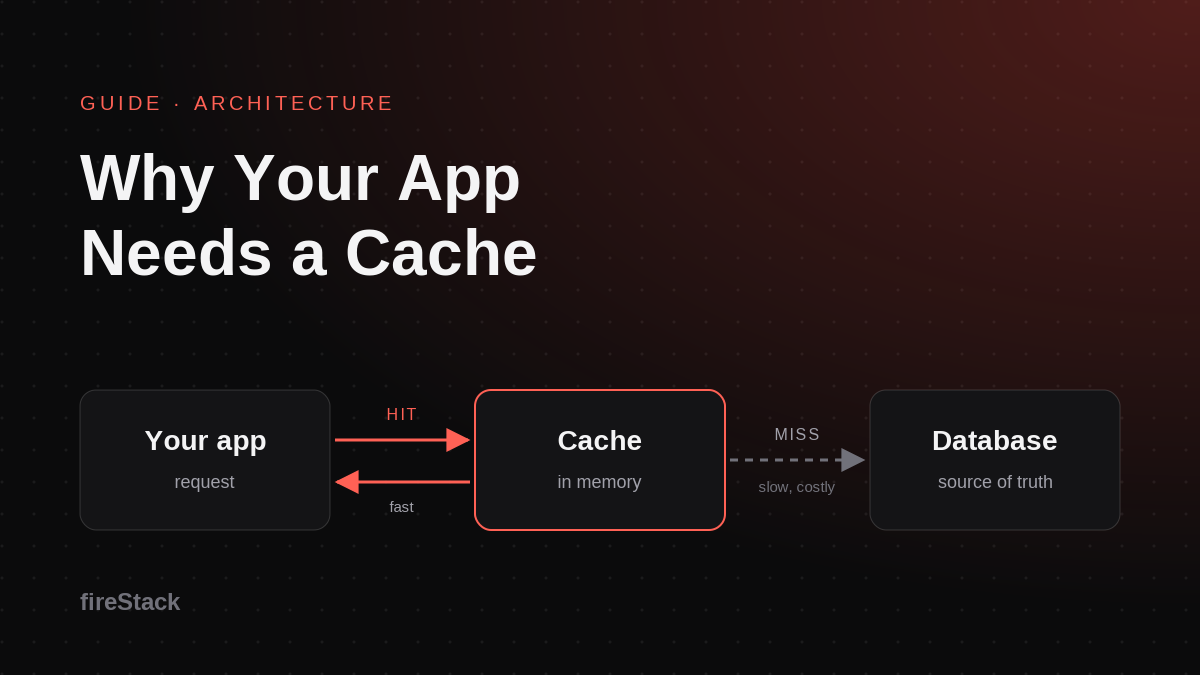
A cache is a faster, smaller copy of data that lives closer to whoever needs it. Instead of going back to the source of truth (your database, a third-party API, a model provider), you check the copy first.
The reason this matters is the gap between storage tiers. Reading from memory takes on the order of nanoseconds. A network round trip to a database takes on the order of a millisecond, and a query that joins a few tables can take tens or hundreds. A call to an external API often takes longer still. Each step down that ladder is roughly a thousand times slower than the one above it.
You cannot make your database as fast as RAM. You can avoid asking it the same question twice.
Why applications need caching
There are four practical reasons, and most products hit all of them eventually.
Latency. Users feel every extra hundred milliseconds. If your product page needs five queries and two API calls, the slowest of those sets your response time. Serving the assembled result from a cache turns a slow path into a fast one.
Load on the source of truth. Databases have a ceiling on connections and queries per second. Read-heavy apps (catalogues, feeds, dashboards, docs) often hit that ceiling long before they run out of application servers. A cache absorbs the repeated reads so the database only handles what is genuinely new.
Cost. Many services charge per request or per unit of compute: managed databases, search APIs, maps, and especially LLM calls. If a thousand users ask for the same summary, generating it once and reusing it is the difference between one bill and a thousand.
Resilience. When an upstream service is slow or down, a cache can keep serving the last good value. A slightly stale exchange rate is usually better than an error page.
Where caches live
Caching is not one thing. It is a set of layers, each closer to the user than the last.
| Layer | Example | Good for | Watch out for |
|---|---|---|---|
| Browser | Cache-Control headers |
Static assets, rarely changing API responses | You cannot purge a user's browser |
| CDN / edge | Cloudflare, CloudFront, Fastly | Images, JS bundles, public pages | Personalised content leaking between users |
| Application memory | An in-process LRU map | Config, feature flags, hot lookups | Each server has its own copy; lost on restart |
| Distributed cache | Redis, Memcached | Sessions, query results, rate limits | Another service to run and monitor |
| Database | Materialised views, query cache | Expensive aggregates | Refresh timing |
A request flows top to bottom. Picture it as a stack of cards: the browser on top, then the CDN, then your app's memory, then Redis, and finally the database at the bottom. Every layer that answers stops the request from travelling further down.
You rarely need all of them on day one. A typical early-stage product gets most of the benefit from good HTTP headers on static files, a CDN in front of them, and one Redis instance for hot queries.
The pattern most apps start with: cache-aside
The most common approach is cache-aside (also called lazy loading). The application checks the cache; on a miss it reads the database, stores the result with an expiry, and returns it.
import Redis from "ioredis";

const redis = new Redis(process.env.REDIS_URL!);
const TTL_SECONDS = 300;

export async function getProduct(id: string) {
  const key = `product:${id}`;

  const cached = await redis.get(key);
  if (cached) return JSON.parse(cached);

  const product = await db.product.findUnique({ where: { id } });
  if (product) {
    await redis.set(key, JSON.stringify(product), "EX", TTL_SECONDS);
  }
  return product;
}

export async function updateProduct(id: string, data: ProductInput) {
  const product = await db.product.update({ where: { id }, data });
  await redis.del(`product:${id}`); // invalidate on write
  return product;
}
Two details make this safe. The TTL means a missed invalidation heals itself within five minutes. Deleting the key on write, rather than updating it, avoids a race where two writers leave the cache holding the older value.
For HTTP responses, the equivalent is a header rather than code:
Cache-Control: public, max-age=60, stale-while-revalidate=300
This tells browsers and CDNs to treat the response as fresh for 60 seconds, then keep serving it for up to five more minutes while fetching a new copy in the background. Users get speed and the content still moves.
The hard part: keeping it correct
The old joke says the two hard problems in computer science are cache invalidation and naming things. The joke lasts because it is true. Every cache is a promise that the copy is close enough to the truth, and you have to decide what "close enough" means for each piece of data.
A few questions settle most decisions:
- How stale can this be? A blog post can be an hour old. A product price can be a minute old. An account balance or stock level at checkout should not be cached at all, or should be re-checked at the point of commitment.
- Who is it for? Anything personalised needs the user or tenant in the cache key, and must never be marked
publicfor a CDN. Getting this wrong shows one customer another customer's data. - What invalidates it? If you can name the write that changes the data, delete the key there. If you cannot, rely on a short TTL.
Then there are the failure modes that only show up under load.
Cache stampede. A popular key expires, and hundreds of requests miss at once and all hit the database together. Fixes include a short lock so only one request rebuilds the value, serving the stale value while one request refreshes it, and adding random jitter to TTLs so keys do not expire in lockstep.
Unbounded growth. Caching every unique search query fills memory with entries that are read once. Set a memory limit and an eviction policy (Redis supports LRU and LFU variants) and cache things that are actually repeated.
Hiding a slow query. A cache in front of a missing index makes the problem rarer, not smaller. When the cache is cold after a deploy or restart, the slow query is back. Fix the query first, then cache.
Caching in AI features
LLM calls are slow and billed per token, which makes them some of the most expensive operations in a modern app. Two kinds of caching help.
The first is ordinary response caching. If the input is identical (the same document summarised, the same product description generated), store the output keyed by a hash of the prompt and model. It is the same cache-aside pattern as above.
The second is prompt caching at the provider. Major model APIs, including Anthropic's and OpenAI's, can reuse the processed form of a long, repeated prompt prefix, such as a system prompt or a large reference document, which lowers cost and latency on later calls. Check your provider's documentation for the current rules, since minimum lengths, lifetimes and pricing differ. We cover the wider picture of running models in production in LLMs for startups.
When not to cache
Caching adds a second copy of your data and a second system to reason about. Skip it when:
- The data changes on nearly every read, so the hit rate would be near zero.
- Correctness matters more than speed: payments, inventory at checkout, permissions checks.
- The source is already fast enough and traffic is low. Measure first.
- You are using it to avoid fixing a bad query or a poor data model.
The same principle applies here as in our post on monolith vs microservices: add moving parts when a measured problem calls for them, not because a larger company uses them.
How to start
- Measure. Find the endpoints and queries that are slowest and most frequently repeated. Your APM or database slow-query log will show you.
- Fix the obvious. Add missing indexes, remove N+1 queries.
- Set HTTP headers and use a CDN for static assets. This is close to free.
- Add cache-aside with a TTL for the top few hot reads. Invalidate on write.
- Watch the hit rate and memory. A cache with a low hit rate is costing you complexity for nothing.
The takeaway
Cache data that is expensive to produce, read often, and tolerant of being a little out of date. Give every entry a TTL, put the user or tenant in the key for anything personal, invalidate on writes you can name, and never cache the values a transaction depends on. Start with HTTP headers, a CDN and one Redis instance; most products will not need more for a long time.
If your app is slowing down under load or your infrastructure bill is climbing, talk to us about where caching would help and where it would only hide the problem.